Schoolz LMS

Coursework students
actually finish.

Every course is a quest map. Students move session by session — predict, watch, reflect, show what they know, and lock in a next step — with a progress bar that makes finishing feel possible.

One step at a time!

Inside a course

A quest map down the side, one activity at a time in the middle, and the instructions always in view. Students never have to guess what to do next.
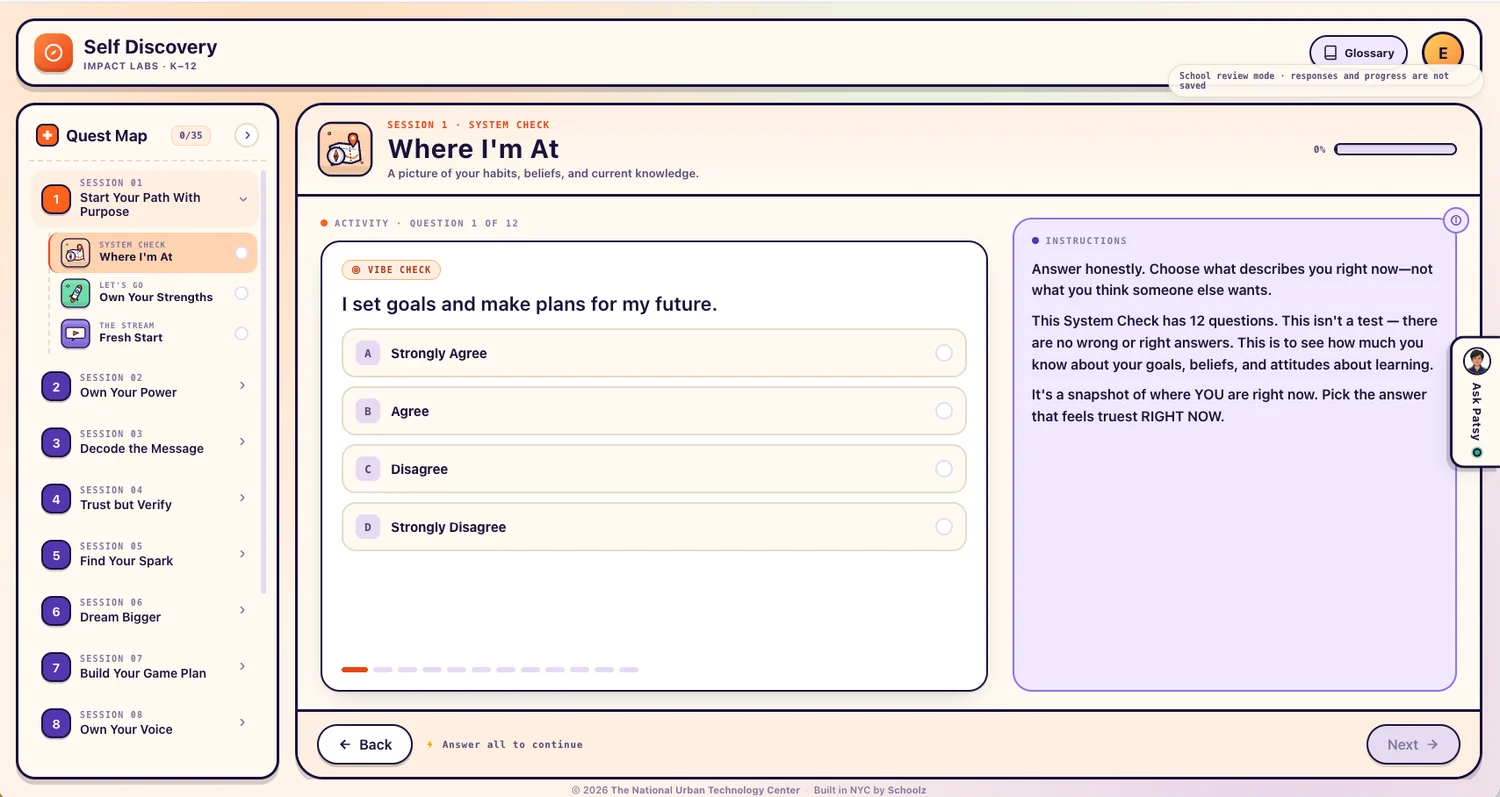
A Schoolz LMS session: the Quest Map sidebar lists sessions and activities, with a multiple-choice System Check activity and its instructions panel

The Quest Map

Every session and activity in the course, always visible, with a running count of how many are done.

Instructions in view

What to do sits beside the activity, not buried in a handout that went home in a backpack.

Progress that shows

A bar on every activity and a counter on the course, so students can see the finish line.

Built-in glossary

Course vocabulary one tap away, so an unfamiliar word doesn't end the lesson.
Activity types

Six ways through a session

Sessions mix activity types on purpose, so a class is never forty minutes of the same thing.

System Check

Where they're at

A no-wrong-answers snapshot of habits, beliefs and current knowledge. Runs at the start and again at the end, so growth is visible.

Let's Go

Open the session

The warm-up that gets a class talking before the main idea arrives.

The Stream

Predict, watch, reflect

Video in three deliberate steps. Students commit to a prediction first, so they watch looking for something.

Recall Moment

Bring it back

A deliberate look back at earlier sessions, because recall is what moves a lesson into long-term memory.

Game Time

Show what you know

A points board that turns review into something a class will actually ask to play.

Lock It In

Name the next quest

Every session ends with the student writing down what they'll do next, not just what they learned.

Video that isn't passive

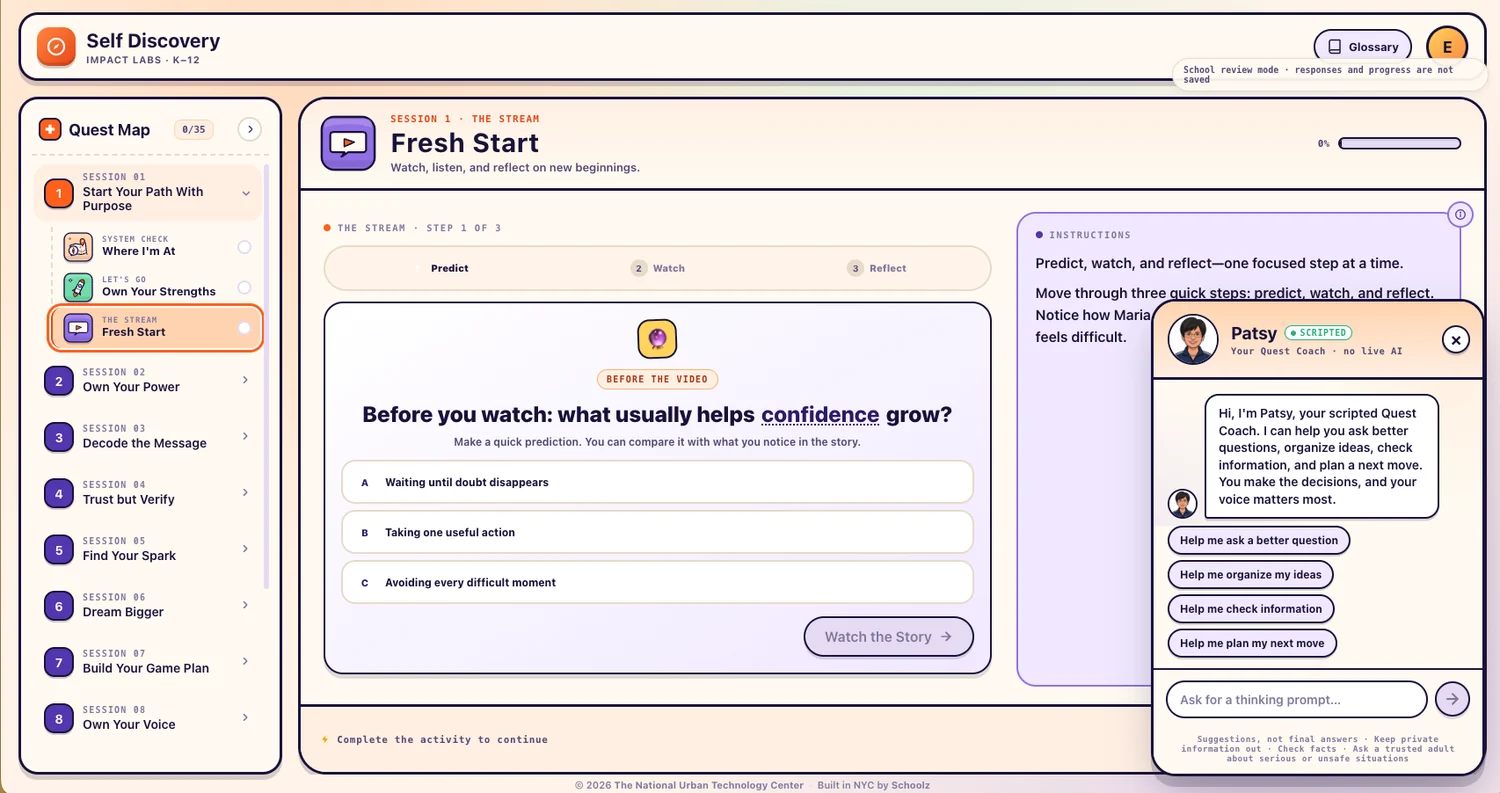
Predict, then watch, then reflect — one focused step at a time. Students make a call before the video starts and compare it with what they noticed.

The Stream activity showing the predict, watch and reflect steps, with the Patsy coach panel open beside it

Meet Patsy, the Quest Coach

Patsy helps students ask a better question, organize their ideas, check information and plan a next move — with thinking prompts, not answers. As Patsy puts it: you make the decisions, and your voice matters most.

Scripted · no live AI

Patsy is scripted on purpose. There is no live model improvising at a child, which is the question every district asks first. Students are reminded to keep private information out, to check facts, and to bring anything serious or unsafe to a trusted adult.

What a student can ask for

Help me ask a better question
Help me organize my ideas
Help me check information
Help me plan my next move

Suggestions, not final answers · Keep private information out · Check facts · Ask a trusted adult about serious or unsafe situations

Play it again!

Review they ask to do

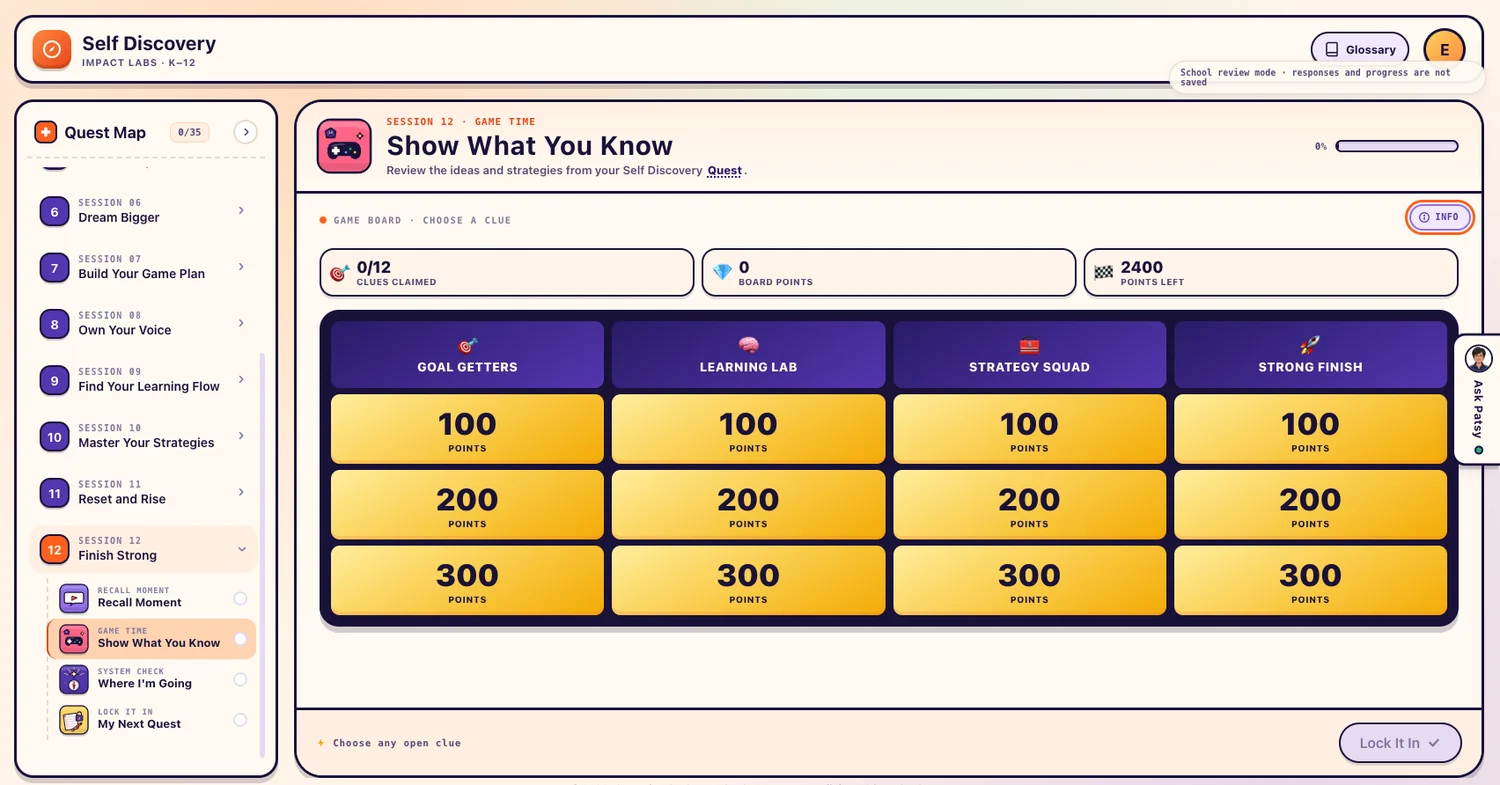
Game Time turns the end of a unit into a points board: categories across the top, clues underneath, and a running tally of what's been claimed and what's still on the table.

  • Clues grouped by category and point value
  • Live score: clues claimed, points banked, points left
  • Drawn from the ideas and strategies in that course
The Game Time review board with four categories and clues worth 100, 200 and 300 points, plus a tally of clues claimed and points remaining
For teachers and admins

Runs without a training day

School review mode

Walk the whole course before students do. Responses and progress aren't saved, so nothing you click while previewing lands in a record.

Paced, not skipped

Activities open in order and ask to be completed before the next unlocks, so a class moves together instead of racing to the end.

Progress you can see

Completion tracked per activity and per course, so "how far is this class" is a glance rather than a spreadsheet.

Your branding

Courses carry your organization's name and colors, not ours — it reads as your program, because it is.

Courses built for you

We build the sessions with you — the content, the videos, the questions and the review game — rather than handing over an empty platform.

Runs in the browser

Nothing to install on a cart of Chromebooks — students open a link and pick up where they left off.

Works with the rest

One platform, not four vendors